For this assignment, I decided to create two 3d objects. The first object was a die, and the second was a desk. I made the die because I wanted to figure out how to use Fusion360. Similarly, I decided to make the desk so I could practice using the tools on the website. Personally, this assignment was really hard. It was the first time I used Fusio360 and it was very confusing. It got better as I was working through each project. But, I was having trouble navigating the website and understanding each function. One of the elements I really struggled with was the planes. It took me multiple tries to figure out which plane would produce the result that I wanted. I used the wrong plane but I didn’t notice until I was almost done. This mistake messed up the processes when I was trying to add other pieces to my model. Because of the time restraints, I couldn’t restart the process so I had to work around it and cut out pieces of the (table) model. In the end, I enjoyed working with this tool! It was really fun experimenting with this tool.
I believe that Fusion360 can be useful in various research or teaching aspects. If you need to create a model, you can use Fusion360 to create a visual representation of your project. When it comes to advice for navigating Fusion360, I recommend watching YouTube videos for tools that you aren’t really comfortable using or are confused about.
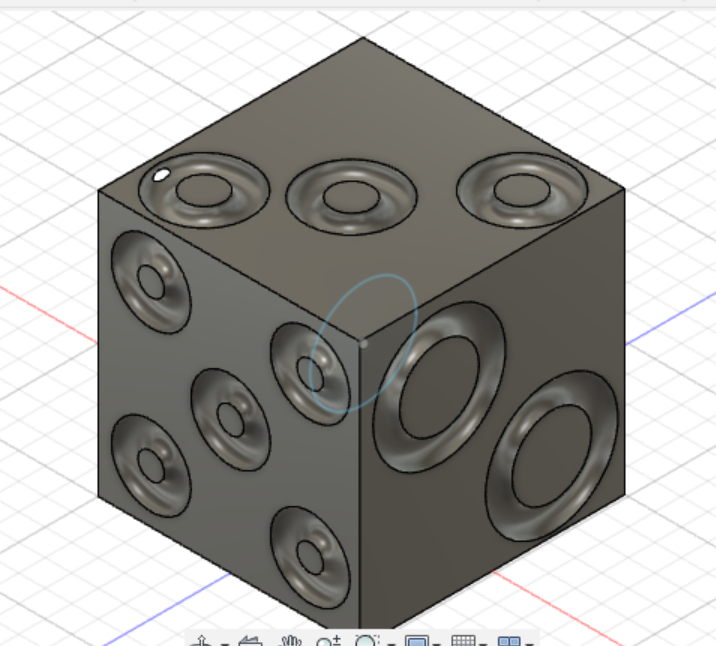
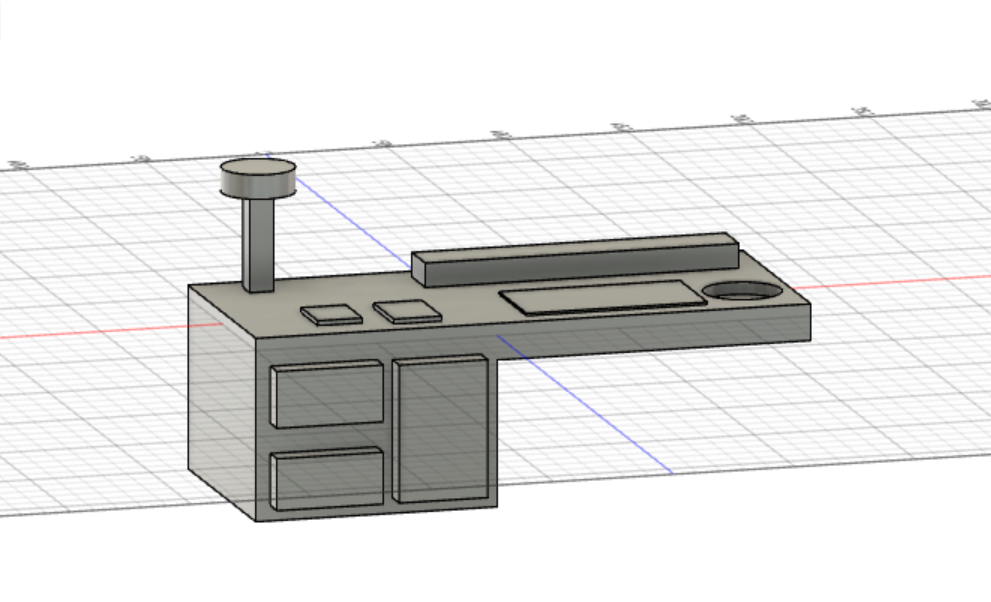
The image on the left is a 3D model of a die. The image on the right is a 3d model of a table/desk.

Nice desk and die! Fusion360 was such a neat and interesting tool to work with, the applications for it in particular are what amazed me. I also like what you did with the holes in the die, it makes the die look more unique! The pro-tip with using YouTube is spot-on because when I got lost YouTube was a major help!