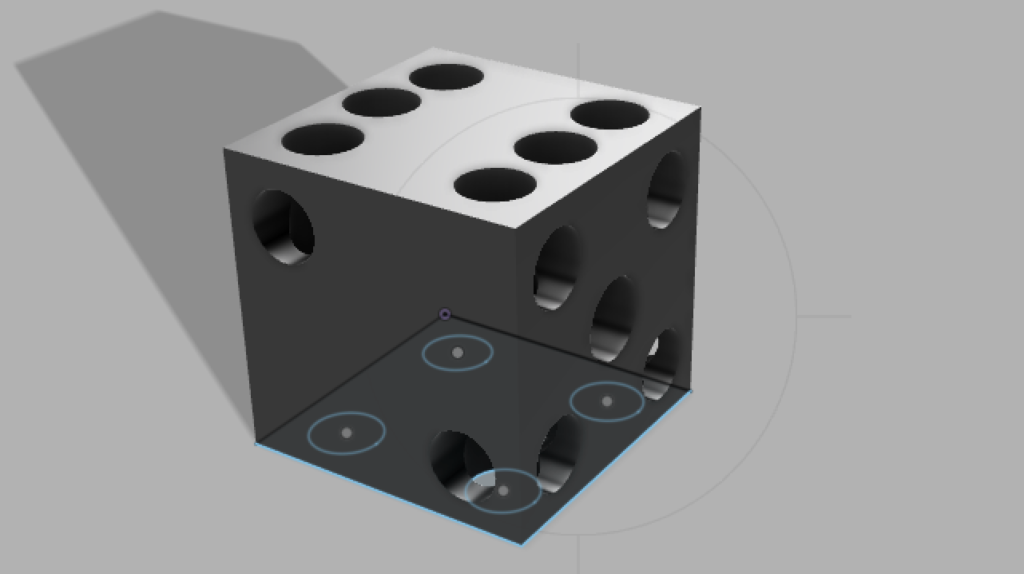
Working with 3D modeling for the first time was a learning experience for me. At first, I thought creating a dice would be as simple as pie but I was quickly overwhelmed by all the functions and tools on my screen. However, I decided to take it one step at a time. First was the sketch of the dice. I used create sketch and extrude to first make a cube. I was surprised by how easy it was to make a cube. Literally, a click and drag. From there, I drew circles on each side and used the create hole tool to show some depth in each circle. And that was it. I think I over estimated the initial difficulty of making this dice. As I kept trying out tools it got intuitive.
One of the compromises I had to make was knowing that the circles weren’t going to be perfect. I used visual intuition for the size and placement of each circle. Another was not coloring the circles. Because I made holes for the circles, I wasn’t able to color them.
I wish I had figured out the camera tool sooner. To move the camera on a 2D plane, all I needed to do was click and drag. But because I was working with a 3D object, I didn’t know how to move the camera around. I kept using “select surface” to maneuver the camera around when I wanted to look at a specific side. This quickly got annoying so I looked up how to rotate the camera and this was a life/time saver.
Overall, I enjoyed making a 3D model for the first time with Fusion 360. I see this as a first step forward to learning more about 3D modeling.
