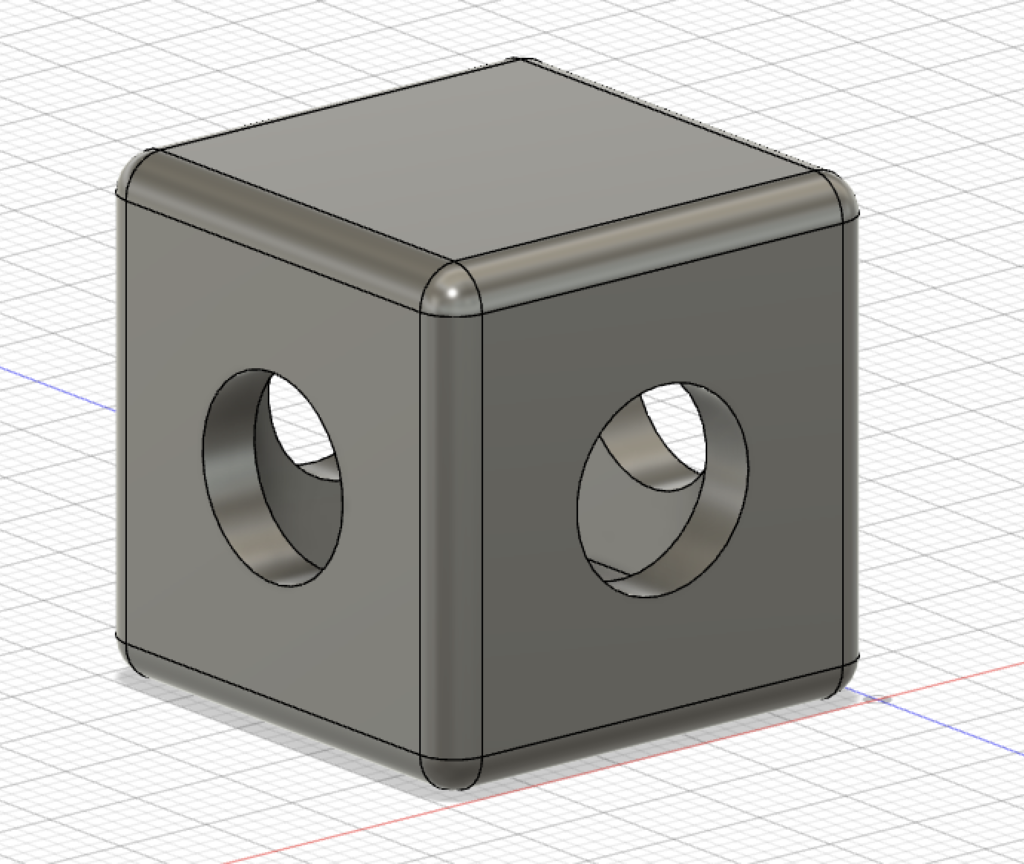
Cube with holes in it!
I made a hollow cube w/ round edges where 4 out of the 6 sides have a circular hole going from one side to the opposite. Making the cube and rounding the edges was very easy but putting the holes in it was highly unintuitive and the area I was cutting out kept expanding in odd ways. Which is pretty strange. I also don’t know how I made it hollow (or if it was hollow to begin with and I didn’t realize). Very confusing. However, I think with practice I could figure it out. There was very little “in-class learning time” to be honest. I don’t know if I had literally any advice for other people.
Making models of various objects is something I can see being very useful for making digital records of important items to scale.

I agree that the hole tool is really unintuitive- do you know if there’s a way to align it to the center of an object? All of the holes I made are freehanded and like half a millimeter off the correct position.