
I thought the site and building the model was straightforward and didn’t take too long. I’m sure if I did a more advanced object I would’ve taken longer and gotten confused on some of the settings. What took me the longest was having to move and resize the hole on the dice because it was see through from some angles. A compromise I had to make was to leave the holes as they were and have some angles looking a little weird since I wasn’t sure how to change the depth of the hole.
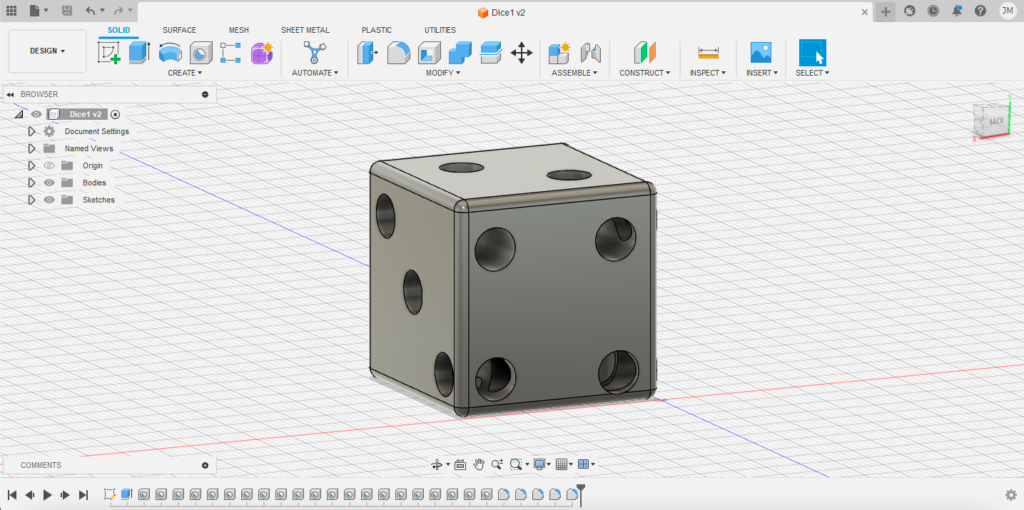
(In this side angle of the dice the corners look a little off since the holes overlap)
In the area of research, I can see several different vintage artifacts being 3D modeled so if there were any broken pieces on them, one can fully imagine what they would’ve looked like if they were not broken. A tip I would share for other novice Fusion 360 users would be to use the undo button on the top left because that will be beneficial if you make any mistakes or place something in the wrong area. It took me a while to realize the undo button was on the top left after several unsuccessful and frustrating attempts at using command z.

Nice die! Getting a hang of the controls was a big problem for me as well…