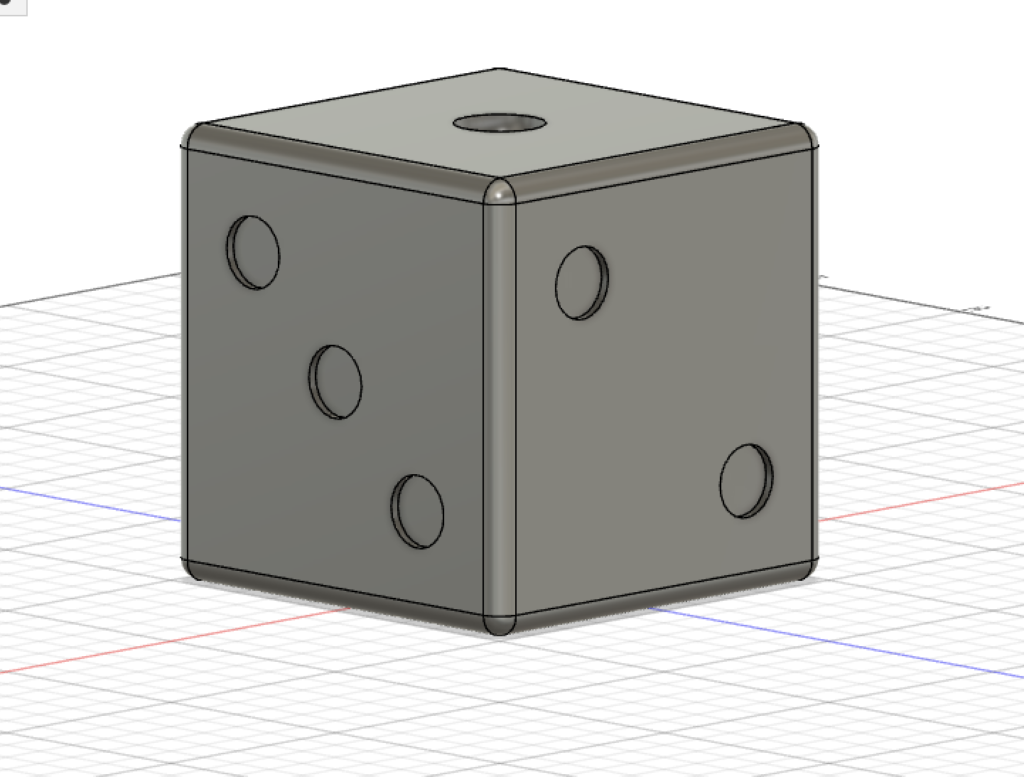
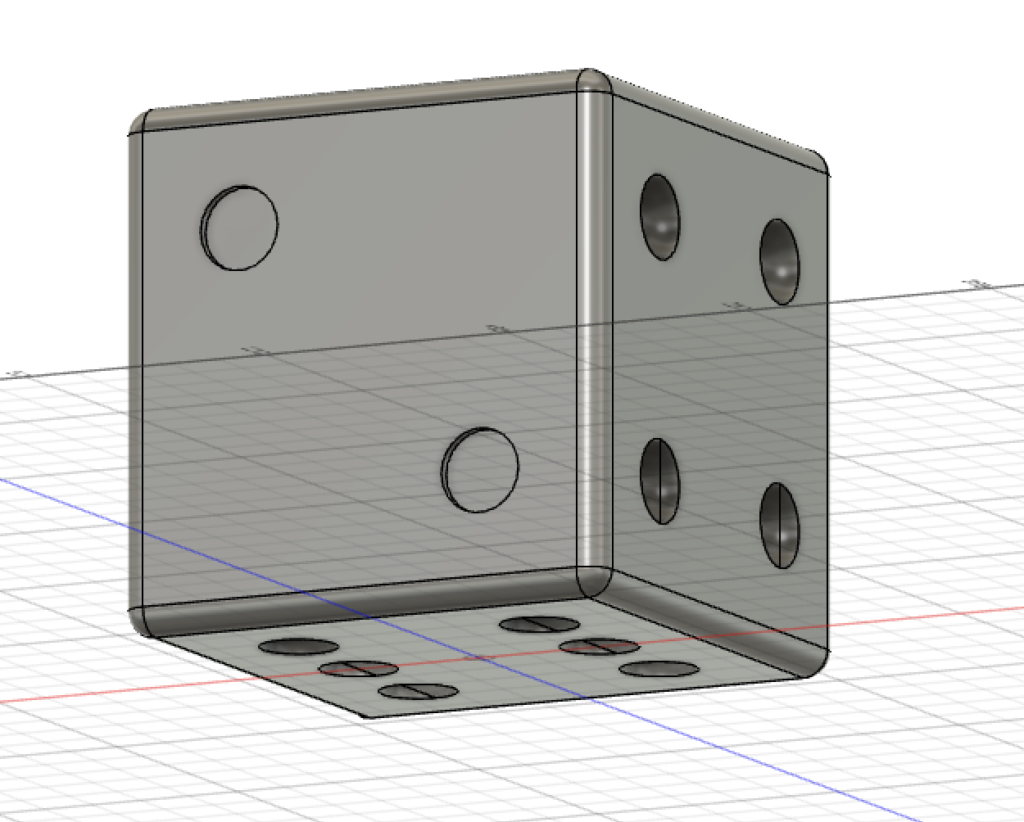
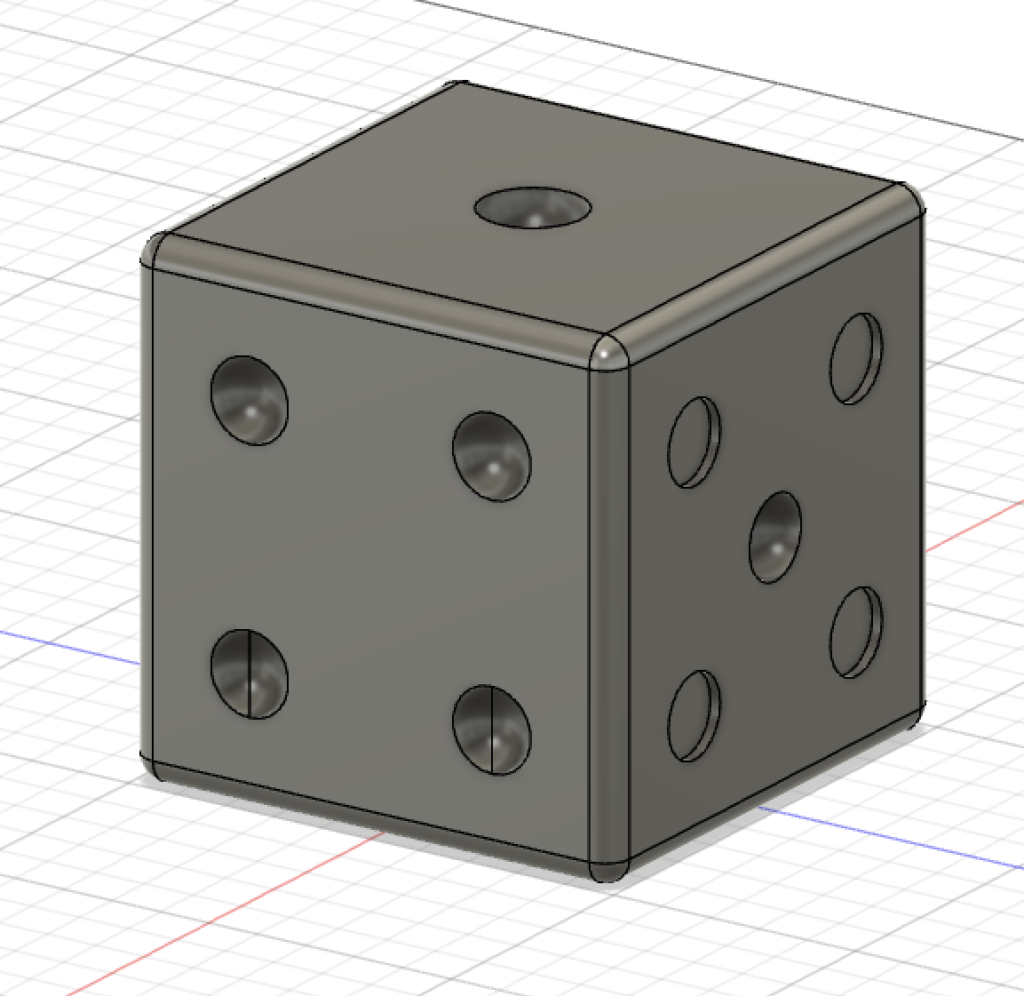
My 3D modeling experience before completing this Fusion 360 lab was extremely limited. Besides the minimal time I spent on various forgotten 3D modeling websites in my middle school technology class, I had never taken the plunge into this world. Fusion 360 was a bit overwhelming at first if I’m being honest with myself. The interface and user tools seemed a little dated, and there was no clear tutorial on how to use these tools. It felt extremely clunky, and I had to make a quick Target run to obtain a Bluetooth mouse in order to fully be able to use the software.
I left the first day of class feeling stressed and more than a little incompetent after attempting to learn the basics of Fusion 360 in roughly 30 minutes. It was the Sketch tool in particular that was tripping me up. I wasn’t yet sure how to layer sketches over one another, and I was constantly worried I was going to make a grave error and render the entire model useless. After these beginning struggles, I took to the internet and watch a few Fusion 360 tutorials that helped me get the software under my fingertips. Unfortunately, the tutorials I watched did not describe exactly everything I needed to know, and I needed to compromise on how I made the dips on my dice. As you can see in the pictures above, there are two different types of holes. This was a result of what I think was an issue with the planes on Fusion 360, and I still am not quite sure what went wrong.
Though Fusion 360 and I got off to a rough start, I can envision many humanistic uses for this tool in research and teaching. Many students are visual learners, and Fusion 360 is a great tool to model things that are being taught. Whether it is used to portray an ancient Roman statue for students of classics or a rocket ship for physics students, it has a place in the education of today. In my opinion, a visual representation of something is always a positive addition to either research or education. Those two fields may be fine without one, but they are better with.
My advice to future Fusion 360 users would be to use all of the resources at your disposal. Fusion 360 is a good program, but, as mentioned earlier, it can be overwhelming at first. Watching many online tutorials or getting help from someone who knows the software well is not embarrassing, it’s simply what you have to do. Fusion 360 is too confusing of a software to find out everything it can do by simply clicking around hoping something happens. I wish I would’ve found out about the push and pull feature on Fusion 360 to make the holes on the dice earlier. It is much easier than trying to cut into the object the way I was doing it before.

I like what you said about watching tutorials being necessary rather than embarrassing; I think it’s very smart to use all the resources available, including youtube or other tutorials!