On Tuesday’s class, I managed to create a cube with a singular hole piercing through it. I was trying to add an indent to signify the dots on a die, but I accidentally made the indent the same area as the cube itself, which led to a hole instead of a small groove. The other aspects of designing the cube included the sketch tool to decide the dimensions of a single side, and the pull option, which extended those sides to form a cube. These tools contributed to my success in building a cubic shape.
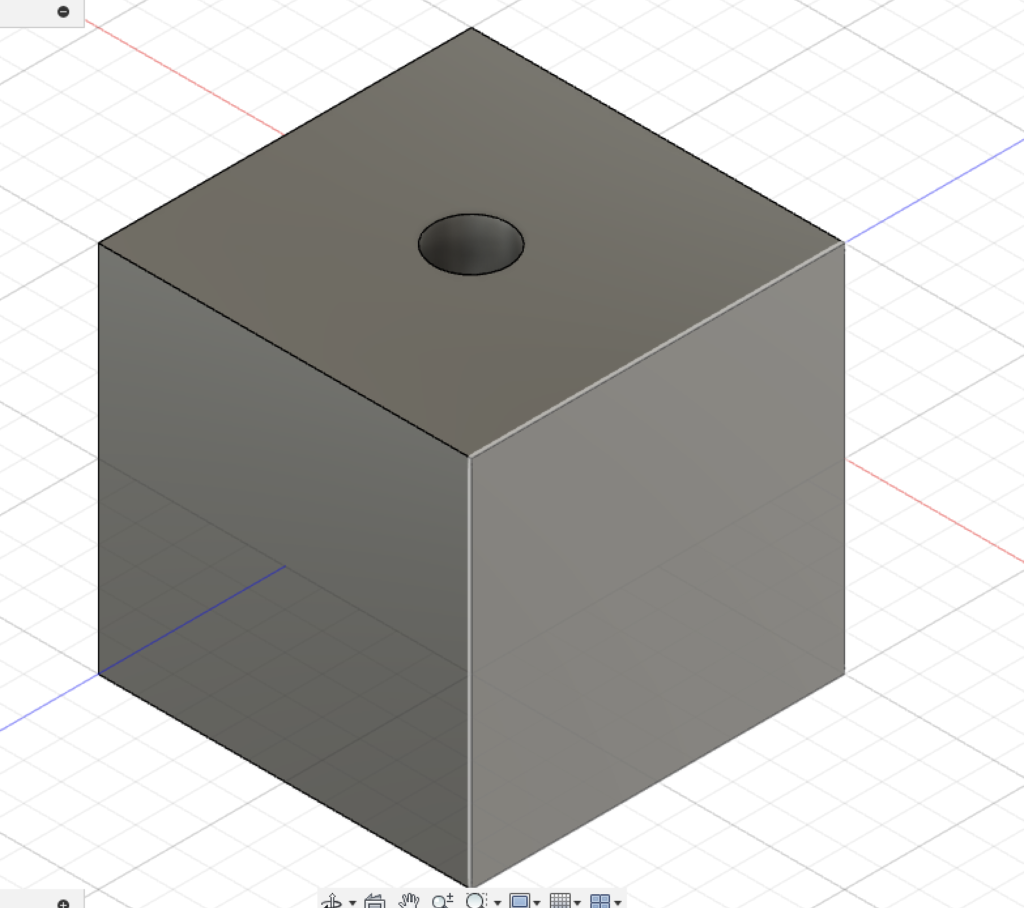
Though it was the default option, a die is still significant to me because when I was a kid, I used to play a lot of board games with my friends. My mom didn’t let me have a phone until I was older, so when I invited my friends over, and when we weren’t shooting each other with nerf guns, we would be playing board games all the time.
3D Modeling was mostly unknown to me before this class, and looking at it now, it’s still a new topic. My understanding of modeling was also hindered by the lag of the Fusion360 web program, where I found it difficult to rotate the cube to take a proper screenshot. One tool I could’ve used earlier is the pan/rotate section in the top right of the Fusion interface. That would’ve made my cube look more like a proper die. The compromise I had to make due to these setbacks was that I had to finish the die later on my own time. Still, I am confident that I can make further strides in learning Fusion360, especially now that I know how to properly indent a surface and rotate the screen easily.
